Character Counter: Count Characters, Letters and Spaces Online
Created on 23 September, 2026 • Text tools • 48 views • 7 minutes read
A character counter is a practical tool for measuring the length of a piece of text. It can count letters, numbers, spaces, punctuation marks, and other symbols, depending on the counting rules used by the tool. Character counting is useful when writing social media posts, preparing website content, completing online forms, editing messages, or working with text that must fit within a specific limit.The UrlShorta Character Counter helps users check text length quickly without manually counting individual characters. By entering text into the tool, you can review its length and make adjustments before publishing or submitting your content.
What Is a Character Counter?
A character counter is an online utility that measures how many characters appear in a text string. Unlike a word counter, which counts words, a character counter focuses on individual text elements.
For example, the phrase `Hello World` contains 11 characters when the space is included. The word `Hello` contains five characters, and `World` contains five characters. The space between the words adds one more character.
Character counters are useful for writers, students, marketers, developers, website owners, and anyone who needs to keep text within a particular length.
Why Is Character Counting Important?
Character limits appear in many digital environments. Knowing the length of your text helps you prepare content that fits the requirements of a platform or application.
Writing Social Media Posts
Some social platforms and advertising formats impose limits on the length of text. A character counter can help you shorten a caption, headline, or promotional message before publishing it.
Preparing SEO Titles and Meta Descriptions
Website owners often check the character length of SEO titles and meta descriptions. A counter helps you estimate the length of these fields and keep them concise. However, search engines may display different amounts of text depending on pixel width, device, and search result layout, so character count alone cannot guarantee how a snippet will appear.
Completing Online Forms
Forms may limit the number of characters allowed in a username, description, application response, or comment. Checking text length beforehand can reduce the need for repeated edits.
Editing Messages and Documents
Writers and editors can use a character counter to meet submission requirements, shorten a paragraph, or compare different versions of a message.
How to Use the UrlShorta Character Counter
The process is straightforward.
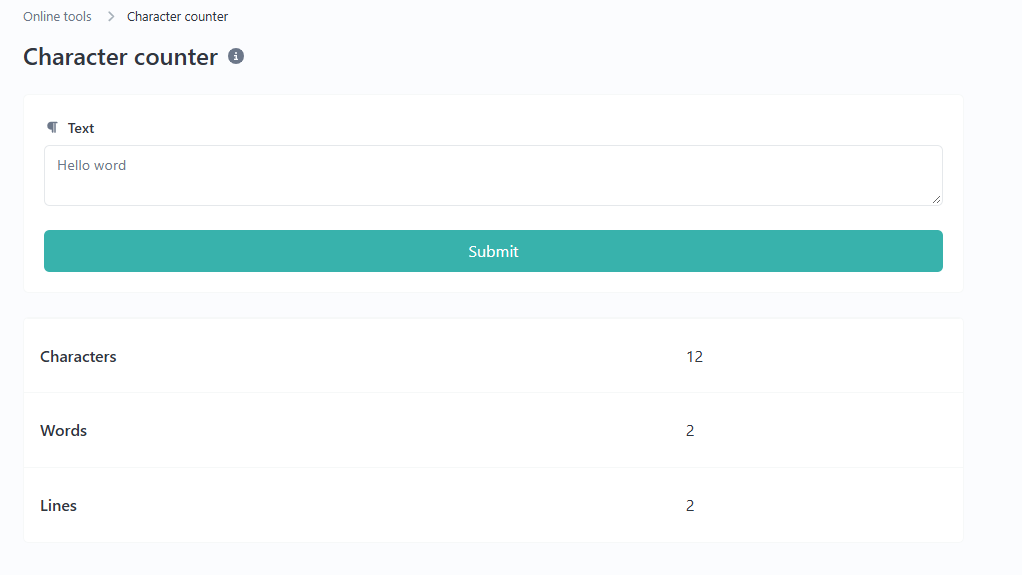
Step 1: Open the Tool
Visit the UrlShorta Character Counter.
Step 2: Enter Your Text
Type the text you want to measure or paste it into the input field.
For example:
`Welcome to UrlShorta`
Step 3: Review the Count
Check the character count displayed by the tool. If the tool provides separate counts for letters, words, or spaces, review the figures you need.
Step 4: Edit Your Text
If your text exceeds a required limit, remove unnecessary words or characters. Then check the revised text again.
Always use the actual count displayed by the tool when preparing content for a platform with a strict limit.
Examples of Character Counting
The following examples illustrate how spaces and punctuation affect text length.
Example 1: A Single Word
Text: `Hello`
Character count: 5
The word contains five letters and no spaces.
Example 2: Two Words
Text: `Hello World`
Character count: 11
There are ten letters and one space. When spaces are included, the total is 11 characters.
Example 3: Text with Punctuation
Text: `Hello, world!`
Character count: 13
The text contains ten letters, one comma, one space, and one exclamation mark.
Example 4: Text with Numbers
Text: `Order123`
Character count: 8
The string contains five letters followed by three digits. Both letters and digits count as characters.
Example 5: Text with Spaces at the Beginning and End
Text: ` Hello `
Character count: 7 if the two surrounding spaces are included.
Leading and trailing spaces may affect the count. Some tools preserve them, while others trim input automatically. Check how your selected tool handles whitespace if exact length matters.
Characters, Words, and Bytes: What Is the Difference?
These terms describe different ways of measuring text.
Characters
Characters are text elements such as letters, numbers, spaces, and punctuation marks. The exact count can depend on whether a tool counts Unicode code points or user-perceived characters.
Words
Words are groups of text separated according to the counting rules used by a tool. A word counter measures the number of words rather than the total number of characters.
Bytes
Bytes measure the amount of encoded data stored or transmitted. A character does not always occupy one byte. For example, many English letters use one byte in UTF-8, while some accented characters, Burmese characters, and emoji use multiple bytes or code points.
A character count and a byte count are therefore not interchangeable. If a database or API specifies a byte limit, use a tool designed to measure encoded byte length.
How Unicode and Emoji Affect Character Counts
Text can contain characters from many writing systems, including English, Burmese, accented Latin letters, and emoji. These characters may be represented differently inside a computer.
For example, a visible emoji can sometimes be made from multiple Unicode code points. Certain emoji sequences combine several components, while some accented letters can be represented using either a single code point or a base letter followed by a combining mark.
As a result, two tools may report different counts for the same visible text if they use different counting methods.
If you regularly write in Burmese or use emoji, test the Character Counter with your own sample text. Confirm whether it counts Unicode code points, grapheme clusters, or another unit before relying on the result for a strict limit.
Common Character Counting Mistakes
Ignoring Spaces
Spaces usually contribute to the character count when they remain in the text. If a platform counts spaces, excluding them from your estimate may cause your submission to exceed its limit.
Forgetting Punctuation
Commas, periods, quotation marks, brackets, and other punctuation marks may count as characters. Include them when checking the length of a title or message.
Confusing Characters with Words
A short sentence can contain several words but many more characters. Check the correct measurement for the requirement you are trying to meet.
Assuming Every Emoji Counts as One
Some emoji appear as one symbol to a reader but consist of several Unicode elements. Verify the counting method if emoji affect a strict character limit.
Using Character Count to Predict Search Snippets Exactly
A character counter can help you create concise SEO titles and descriptions, but it cannot guarantee how much text a search engine will display. Search result presentation can vary.
Tips for Getting Accurate Results
- Paste the complete text you plan to publish or submit.
- Check whether spaces and line breaks are included.
- Review punctuation, numbers, and symbols.
- Test Unicode and emoji if they are important to your content.
- Use a byte counter when the requirement is expressed in bytes.
- Recheck the final version after editing.
- Follow the target platform's current requirements rather than relying on a universal character limit.
Frequently Asked Questions
What does a character counter measure?
A character counter measures the length of text according to its counting rules. Depending on the tool, the result may include letters, digits, spaces, punctuation, and other symbols.
Do spaces count as characters?
Spaces are generally counted when they are part of the input text. However, tools may treat leading spaces, trailing spaces, and line breaks differently.
Is a character counter the same as a word counter?
No. A character counter measures characters, while a word counter measures words. Some tools provide both measurements.
Can I count Burmese text?
A Unicode-aware tool can process Burmese text, but the exact result depends on how it counts Unicode elements. Test a sample of your own Burmese text if accuracy is important.
Do emojis count as characters?
Emoji are included in text length, but one visible emoji may contain multiple Unicode code points. Different counting methods can therefore produce different totals.
Can I use a character counter for SEO?
Yes. It can help you check the length of SEO titles and meta descriptions. However, it cannot guarantee how search engines will display them.
Does a character counter measure file size?
Not necessarily. Character count measures text length, while file size and encoded byte length measure different things.
Count Your Text with UrlShorta
Checking text length can help you prepare clearer messages, meet form requirements, edit social media captions, and create concise website content. A character counter makes the process faster and reduces the need to count manually.
Try the UrlShorta Character Counter to measure your text and review its length before using it. For the most accurate results, understand how the tool treats spaces, line breaks, Unicode characters, and emoji.
Categories
Popular posts
-
What Is a Gravatar Checker?Checker-tools • 90 views
-
-
-
-