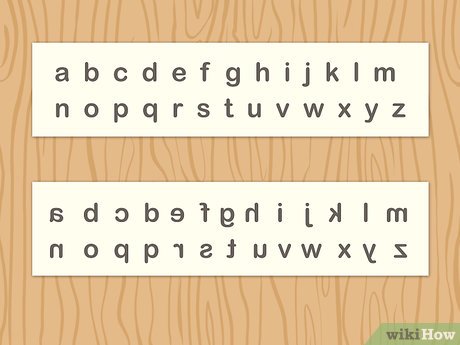
Reverse letters
Created on 23 September, 2026 • Text tools • 36 views • 2 minutes read
Reverse Letters is a simple text-processing tool that changes the order of characters in a word, sentence, or larger block of text. Instead of manually rearranging every character from the end to the beginning, users can paste their content into a Reverse Letters tool and receive the transformed result almost instantly. This utility can be useful for programming practice, educational activities, creative experiments, puzzles, and general text manipulation.
What Is a Reverse Letters Tool?
A Reverse Letters tool takes written content and reverses the sequence of its characters. For example, the word "Example" becomes "elpmaxE" when its letters are reversed.
This process is different from reversing words. A word-reversal tool changes the positions of complete words, while a Reverse Letters tool changes the order of individual characters. Understanding this difference helps users select the correct text transformation for their needs.
How Does a Reverse Letters Tool Work?
A Reverse Letters tool uses a straightforward text-processing process. The user provides a word, sentence, or block of text, and the tool reads the characters in their original order. It then produces a new sequence beginning with the final character and ending with the first.
Enter or Paste Your Text
The first step is to enter the content that needs to be reversed. Users can typically paste a single word, sentence, paragraph, or other text into an input box.
Reverse the Character Sequence
After processing the input, the tool rearranges the characters from right to left. Depending on its design, spaces, punctuation marks, numbers, and symbols may also be included in the reversal.
Copy the Result
Once the reversed text is generated, users can review and copy it for their intended purpose. This makes the process much faster than manually rearranging characters.
Benefits of Using a Reverse Letters Tool
One important benefit is speed. Reversing a short word manually is easy, but working with long sentences or large blocks of text can be inconvenient. An automated tool can complete the transformation quickly.
Another advantage is accuracy. When characters are rearranged manually, it is easy to skip or duplicate a letter. A text-processing tool performs the same operation consistently across the supplied content.
The tool can also be useful for learning and experimentation. Students and beginner programmers can use it to understand how strings and character sequences can be manipulated.
Common Uses of Reverse Letters Tools
Reverse Letters tools have applications in education, programming, puzzles, creative projects, and text experimentation. Teachers can use them to create language exercises, while students can explore how changing character order affects words.
Useful for Programming Practice
Reversing a string is a common programming exercise. Developers learning string manipulation can use a Reverse Letters tool to compare their code's output with an expected result. It can also help demonstrate concepts such as character indexing and iteration.
Helpful for Puzzles and Creative Projects
Writers, puzzle creators, and game designers can use reversed text to create clues, challenges, or visual effects. Because reversed text can look unusual, it can add an interesting element to certain creative activities.
An online Reverse Letters tool provides a convenient way to transform text without requiring specialized software. Users simply enter their content, process it, and copy the resulting character sequence.
Whether you are practicing programming, creating a puzzle, preparing an educational activity, or experimenting with text, a Reverse Letters tool can make character reversal quick and simple. By automating a repetitive text-manipulation task, it provides an efficient solution for anyone who needs to reverse letters accurately.
Categories
Popular posts
-
What Is a Gravatar Checker?Checker-tools • 90 views
-
-
-
-