Text Size Calculator: Understand Text Length, Characters, and Data Size
Created on 22 September, 2026 • Text tools • 53 views • 5 minutes read
Text is used everywhere online, from website forms and social media posts to programming projects, emails, and database records. However, the amount of text you can enter or store is not always unlimited. Some platforms restrict character counts, while applications may measure text using bytes.The Text Size Calculator on URLshorta helps users analyze text according to the measurements supported by the tool. It can be useful when preparing content, checking text limits, and understanding the difference between text length and digital data size.
Try the tool: Text Size Calculator.
What Is a Text Size Calculator?
A Text Size Calculator is an online utility designed to help users examine text and understand its size. Depending on the features available, a calculator may measure text length, estimate data size, or provide other text statistics.
These measurements can be useful for writers, students, developers, website owners, and anyone who regularly works with digital text.
For example, a social media platform may limit the number of characters in a post. A software application, on the other hand, may impose a limit based on the number of bytes stored or transmitted.
Why Does Text Size Matter?
1. Meeting Character Limits
Online forms, profile descriptions, advertisements, and social media posts may have maximum character limits. Checking your text before submitting it can help you stay within those restrictions.
You can also use the Character Counter to check character-related statistics supported by that tool.
2. Preparing Website Content
Website owners often work with page titles, meta descriptions, form fields, and content snippets. Measuring text length can help them prepare content that fits a specific field or editorial requirement.
Character limits vary by platform, so always check the requirements of the service where you intend to use the text.
3. Understanding Digital Text Data
Developers may need to understand how text is represented when it is stored, processed, or transmitted. In these situations, character count and byte size are not necessarily the same.
This distinction is particularly important when working with Unicode text, multilingual content, APIs, and databases.
How to Use the Text Size Calculator
Step 1: Open the Calculator
Visit the URLshorta Text Size Calculator page.
Step 2: Enter Your Text
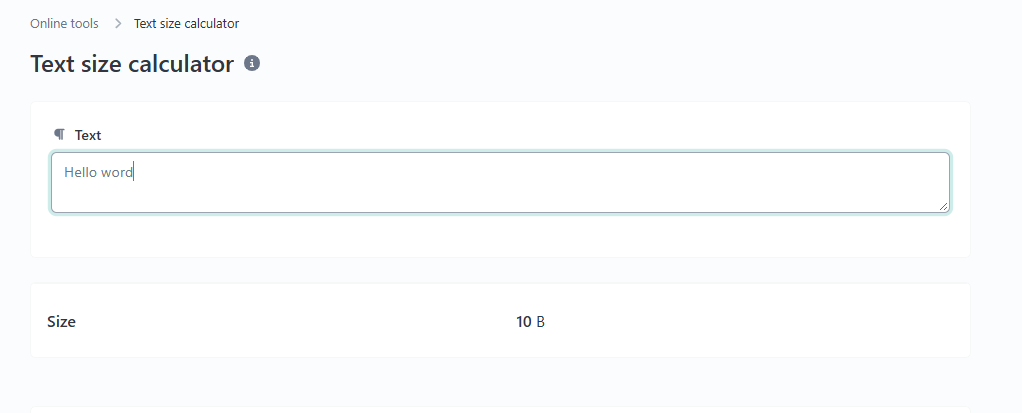
Copy the text you want to analyze and paste it into the input area provided by the tool. You can use a paragraph, a website description, a message, or a sample from a document.
Step 3: Calculate and Review the Results
Use the available calculation or analysis control, if provided. Review the results displayed by the calculator. The available measurements depend on the features implemented on the page.
Step 4: Adjust Your Text
If your text exceeds a required limit, edit unnecessary words or sentences and calculate again. Repeat the process until the text meets your intended requirements.
Characters and Bytes: What Is the Difference?
Characters and bytes measure different aspects of digital text. A character is a unit of text, such as a letter, number, punctuation mark, or symbol. A byte is a unit of digital data commonly used to represent encoded information.
The number of bytes required for text depends on its character encoding and the characters being represented.
Example 1: English Text
The word "Hello" contains five ordinary English letters. In UTF-8, each of these letters uses one byte, so the word occupies five bytes when encoded without additional characters.
Example 2: Burmese Text
Burmese text can require multiple bytes per encoded character in UTF-8. Therefore, counting visible characters alone may not reveal the total number of bytes used.
Example 3: Emojis and Special Symbols
Some emojis and Unicode symbols use multiple bytes in UTF-8. A text string that looks short may therefore occupy more bytes than expected.
These examples show why character count and byte size should not be treated as interchangeable measurements.
Who Can Benefit From a Text Size Calculator?
Content Writers and Bloggers
Writers can check the length of descriptions, draft messages, and other text before publishing. This can help them meet editorial requirements and platform limits.
Students and Researchers
Students can analyze text for assignments and projects when a specific length requirement applies.
Web Developers
Developers may use text analysis when investigating field limits, data handling, and text-processing requirements. For exact storage calculations, they should verify the encoding and measurement method used by their application.
Website Owners and Digital Marketers
Website owners can review titles, descriptions, and short promotional messages before using them on websites or in campaigns.
Text Size Calculator vs. Character Counter
Although these tools are related, they may serve different purposes.
A Text Size Calculator focuses on the text measurements supported by its features, which may include length or data size. A Character Counter focuses on character-related statistics, such as the number of characters in a text.
The features can overlap, so choose the tool according to the measurement you need.
Try the URLshorta Character Counter for character analysis.
Tips for Getting Accurate Results
Check Spaces and Line Breaks
Different tools may count spaces, punctuation, and line breaks differently. Review the calculator's behavior before relying on its results.
Understand Text Encoding
When working with byte limits, check whether the application uses UTF-8 or another encoding. Different encodings may produce different byte counts.
Verify Platform Requirements
Compare your results with the requirements of the website, application, or service where you intend to use the text.
Frequently Asked Questions
Is a Text Size Calculator useful for website content?
Yes. It can help you review text length and other available measurements before using text in website fields, forms, or content-management systems.
Does character count always equal byte size?
No. Byte size depends on the encoding used. In UTF-8, different characters can require different numbers of bytes.
Can I use a Text Size Calculator for Burmese text?
You can analyze Burmese text if the tool accepts it. Verify that the displayed measurements match the type of count you need.
Does a Text Size Calculator guarantee that text meets every platform's limits?
No. Platforms may apply their own rules for characters, bytes, formatting, or other restrictions. Always check the relevant platform's requirements.
Conclusion
A Text Size Calculator can make everyday text analysis easier by helping users understand the measurements supported by the tool. It can be useful for preparing online content, reviewing text limits, and learning the difference between characters and encoded data size.
Visit the URLshorta Text Size Calculator to try its available features. For the best results, confirm what the tool measures and use that information according to your specific needs.
Categories
Popular posts
-
What Is a Gravatar Checker?Checker-tools • 90 views
-
-
-
-